Back Channel mode on the RØDECaster Pro II allows hosts and producers to speak with remote guests off-air, without including that audio in the final recording or livestream.
This is useful for preparing guests, giving instructions, or managing communication during a live production.
Queuing Guests Before Going Live
Back Channel mode provides a private communication path between the host, producer, and guest before they are brought into the live recording or stream.
- Speak to guests before they go live
- Provide instructions or talking points
- Communicate without recording the conversation
Single Press Activation
Back Channel mode can be assigned to a SMART pad, allowing quick control during a session.
- Press the assigned SMART pad to activate or deactivate Back Channel mode
- Mute and listen buttons will appear amber when Back Channel mode is active
- This allows fast off-air communication without disrupting the main recording
Trigger Behaviour
Back Channel mode can be configured to suit your workflow.
- Momentary: Back Channel remains active only while the SMART pad is held down
- Latching: Back Channel toggles on or off with each press
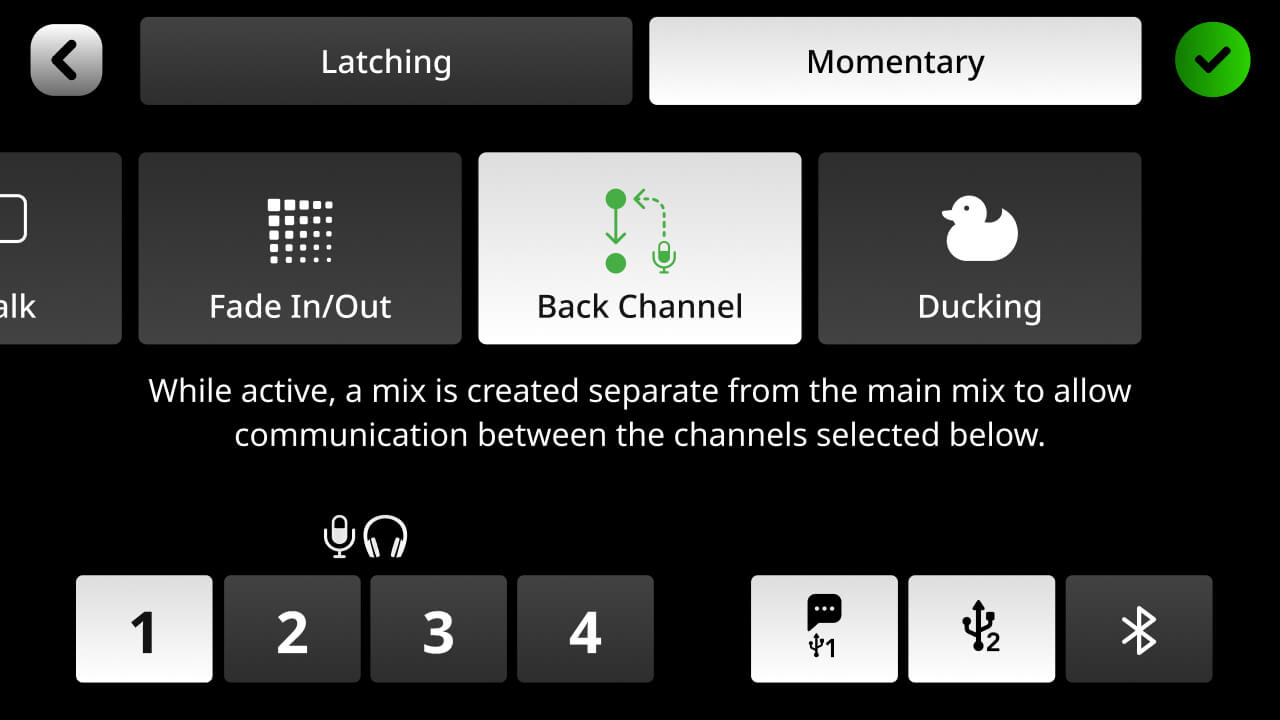
Selecting Back Channel Participants
Back Channel mode allows you to choose which channels can communicate with each other when the feature is active.
- Allow all channels to communicate off-air
- Limit Back Channel communication to selected channels only
- Create a private line between the host and a specific guest
Back Channel mode helps keep podcast and livestream productions organised by allowing private communication with guests without affecting the recorded or live audio.
For more information about RØDECaster Pro II & RØDECaster Duo, please see our RØDECaster Pro II User Guide and RØDECaster Duo User Guide